Sometimes sanity isn’t the best route

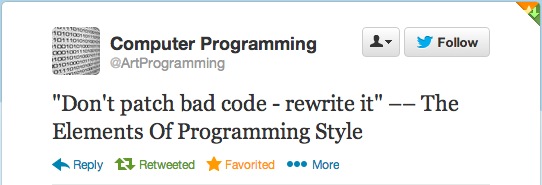
I saw the following post on twitter earlier this week:

tweet

I have to admit that my first response was of course all the time. Then afterwards it got me thinking about those times that I broke this rule.

Don’t look at me or tell me that you have never patched bad code.

We all have worked somewhere where there was this one class, function or piece of code that we dreaded working on and when we did it was precision strike. You know the drill:

Get in, get out and leave no trace behind that says you were there.

I worked this one job where a large part of what our software did was track the status that certain types of documents could be in. There was myself and a few other programmers that were aware of the process and rules for how these documents changed status and we always hated when customers or program managers wanted to “tweak” those rules.

We often talked about rewriting all that code and in some projects we actually attempted to schedule time for its work. In reality though it was the largest plate of spaghetti most of us had ever seen and each time we opted against it. Usually our excuse for not doing was always the same:

“If it ain’t broke, don’t fix it.”

If you google that phrase you will find hits all over the place about. So which famous engineer do we choose to associate this saying to? Amazingly this quote belongs to a business man by the name of Bert Lance who at the time was working for President Carter.

Please don’t take this to mean that I am supporting this type of thinking all the time. The whole idea of taking things that are “working” and changing them is a business model (disruptive technology) for so many of todays majorly successful companies.

Maybe for fun though I will tweet the following:

One of the quickest ways to break something is to fix it when it ain’t broken.

Later everyone and as usual happy coding!!!   =)

Date Counting

Ok so I kind of left my previous post a bit incomplete. I did so because there was that bit of date calculation that I wasn’t yet done resolving.

Remember this bit of code:

    int castedInterval = (int)interval;
    int minutes = (castedInterval / 60) % 60;

Ok so I will be honest I wasn’t that proud of the date calculations. Especially when you take into consideration that the full implementation looked something like:

-(NSString*) stringFromTimeInterval:(NSTimeInterval) interval
{
    int castedInterval = (int)interval;
    int years = (castedInterval / (((3600 * 24)*7)*52));
    int weeks = (castedInterval / ((3600 * 24)*7));
    int days = (castedInterval / (3600 * 24));
    int hours = (castedInterval / 3600);
    int minutes = (castedInterval / 60) % 60;
    int seconds = castedInterval % 60;

    if (hours >= 24){
        hours = hours - (days * 24);
    }

    if (days >= 7){
        days = days - (weeks * 7);
    }

    if(weeks >= 52) {
        weeks = weeks - (years * 52);
    }
    // removed other code
}

I shivered every time I read that code especially that god awful mess for determining the number of years. I looked at it a few times and thought to myself ok I could probably clean that up really nice with some constants or some defines.

Ok who am I kidding it still would look crap!

Regardless of it solving the problem I still hate ugly code. Mostly because I hear myself saying what I say to so many other software developers.

In five years when you and I are no longer working here we will be judged by the code we leave behind. For that future developer lets try and make his job easier.

Quick jump to my favorite research tool and five minutes later I come up with NSCalendar and NSDateComponents. You can get more information about them here and here.

The cool thing with NSCalendar is that it has a calculations method called components that allows me to pass in 2 NSDate objects to calculate the difference. It then returns back a NSDateComponents which I can then query to get the information I am looking for.

The following is the result:

-(NSString*) stringFromTimeInterval:(NSDate *) fromDate toDate:(NSDate *)toDate interval:(NSTimeInterval) interval
{
    NSCalendar *calender = [[NSCalendar alloc] initWithCalendarIdentifier:NSGregorianCalendar];
    NSUInteger flags =  NSYearCalendarUnit | NSMonthCalendarUnit | NSWeekCalendarUnit | NSDayCalendarUnit | NSHourCalendarUnit | NSMinuteCalendarUnit | NSSecondCalendarUnit;
    
    NSDateComponents *dateComponents = [calender components:flags fromDate:[NSDate date] toDate:[self.dueDatePicker date] options:0];
    
    int years = [dateComponents year];
    int months = [dateComponents month];
    int weeks = [dateComponents week];
    int days = [dateComponents day];
    int hours = [dateComponents hour];
    int minutes = [dateComponents minute];
    int seconds = [dateComponents second];

    NSString* result = [[NSString alloc] init];
    if (years > 0) {
        result = (years > 1) ? [result stringByAppendingString:[NSString stringWithFormat:@"%d Years ", years]] : [result stringByAppendingString:[NSString stringWithFormat:@"%d Year ", years]];
    }
    
    if (months > 0) {
        result = (months > 1) ? [result stringByAppendingString:[NSString stringWithFormat:@"%d Months ", months]] : [result stringByAppendingString:[NSString stringWithFormat:@"%d Month ", months]];
    }
    
    if (weeks > 0) {
        result = (weeks > 1) ? [result stringByAppendingString:[NSString stringWithFormat:@"%d Weeks ", weeks]] : [result stringByAppendingString:[NSString stringWithFormat:@"%d Week ", weeks]];
    }
    
    if (days > 0) {
        result = (days > 1) ? [result stringByAppendingString:[NSString stringWithFormat:@"%d Days ", days]] : [result stringByAppendingString:[NSString stringWithFormat:@"%d Day ", days]];
    }
    
    if (hours > 0) {
        result = (hours > 1) ? [result stringByAppendingString:[NSString stringWithFormat:@"%d Hours ", hours]] : [result stringByAppendingString:[NSString stringWithFormat:@"%d Hour ", hours]];
    }
    
    if (minutes > 0) {
        result = (minutes > 1) ? [result stringByAppendingString:[NSString stringWithFormat:@"%d Minutes ", minutes]] : [result stringByAppendingString:[NSString stringWithFormat:@"%d Minute ", minutes]];
    }
    
    if ((years == 0) && (months == 0) && (weeks == 0)) {
        result = [result stringByAppendingString:[NSString stringWithFormat:@"%02d Seconds", seconds]];
    }
    
    return result;
}

I am still passing in NSTimeInterval because I am debating whether I want to include the calculation of milliseconds. I couldn’t find milliseconds as a component so the following bit of code should work if I want:

    NSTimeInterval actualTimer = interval;
    int castedInterval = (int)actualTimer;
    int millSeconds = ((double)actualTimer - castedInterval) / .01;

Happy coding everyone.
Ternary, tertiary, terinary …

What really is the correct spelling for this conditional operator?

Regardless of spelling I have never been that much a fan of its use. Most times that I have seen them used it was done so (in my opinion) to inflate the ego of the original programmer. We all have seen that code that solved what was most likely an easy problem but whose solution was done with complicated code.

My all time favorite of course is in conditional returns that always seem to resemble:

-(Boolean)crazyFunction{
    Boolean response = YES;

    // do some code processing...

    return (YES == response) ? YES : NO;
}

Before you jump to the end and flame the comments section please understand that I am not trying to discourage developers from ever using them. I believe at times they can come in rather handy when it comes to minimizing code so that it’s readability is maintained.

So now that I have given background to my opinions let me cover an example of how I used this in something that I am currently working on.

Problem – variable string building

I wanted to build a human readable string that actively demonstrates the difference between two different times.

Rules

  • It will display nothing when the difference is zero (0).
  • When the value is greater than 1 it will display a plural word.
  • When the value is equal to 1 it will display a singular version.

Fairly simple piece of code:

-(NSString*) stringFromTimeInterval:(NSTimeInterval) interval
{
    int castedInterval = (int)interval;
    int minutes = (castedInterval / 60) % 60;

    NSString* result = [[NSString alloc] init];
    if (minutes > 0) {
        if (minutes > 1) {
            result = [result stringByAppendingString:[NSString stringWithFormat:@"%d Minutes", minutes]];
        }
        else {
            result = [result stringByAppendingString:[NSString stringWithFormat:@"%d Minute", minutes]];
        }
    }

    return result;
}

If I was just doing one element of time this wouldn’t be that bad (my opinion). However, in my scenario I actually want to solve for years, weeks, days, hours and minutes. Which grows this small bit of code into something that just becomes unreadable and unmanageable.

To simplify and clean things up a bit I went with the following approach:

-(NSString*) stringFromTimeInterval:(NSTimeInterval) interval
{
    int castedInterval = (int)interval;
    int minutes = (castedInterval / 60) % 60;

    NSString* result = [[NSString alloc] init];
    if (minutes > 0) {
        result = (minutes > 1) ? [result stringByAppendingString:[NSString stringWithFormat:@"%d Minutes ", minutes]] : [result stringByAppendingString:[NSString stringWithFormat:@"%d Minute ", minutes]];
    }

    return result;
}

For each time element this saved me about 5 lines of code. I could have written the whole construction by embedding the current ternary operation inside of another however I felt by doing so I would have sacrificed readability of the code.

So when choosing to use a ternary operation make sure you remember the following:

With great power comes great responsibility – Uncle Ben

PS – Sprinkle in some comments.